At a glance#
Skills: KiCad, PCB Layout
- What: Layout design (KiCad) for a custom RP2354A development board.
- How: Followed hardware design guidelines to maximize power and signal integrity.
- Why: Implement PCB layout best practices to create a useful and compact development board for embedded systems development.
Details#
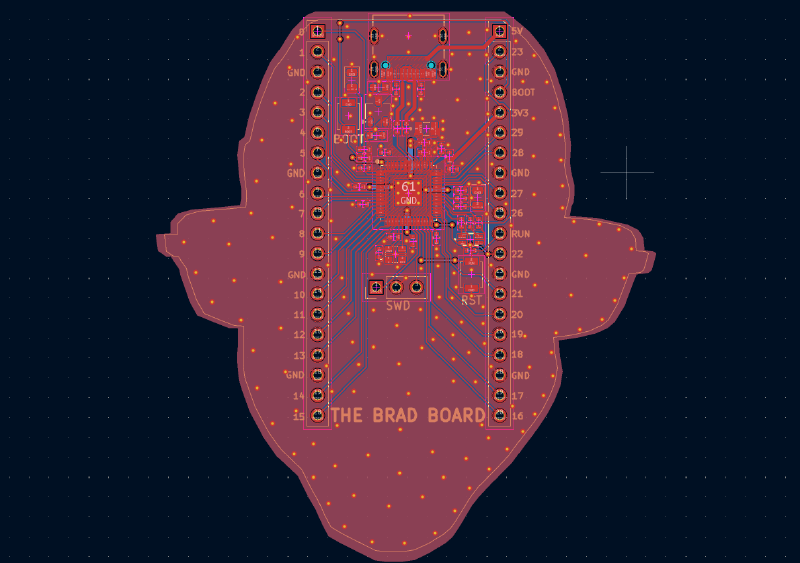
This board is built around the RP2354A microcontroller, developed by Raspberry Pi. The microcontroller is highly capable and affordable, making it a good option for embedded system prototyping and value-focused product development. Additionally, Raspberry Pi produces a detailed hardware design guide for this family of microcontrollers, which I referenced heavily in my layout design.
This development board must accomplish the following:
- Provide data and power to the MCU through a USB-C connection
- Implement 5V-3.3V and 3.3V-1V power conversion stages
- Include decoupling capacitors for MCU and ICs
- Connect a crystal oscillator to the MCU
- Connect BOOT and RESET buttons to the MCU
- Connect a standard and RGB LED to the MCU
- Connect a SWD header to the MCU
- Breakout all GPIO pins to header pins
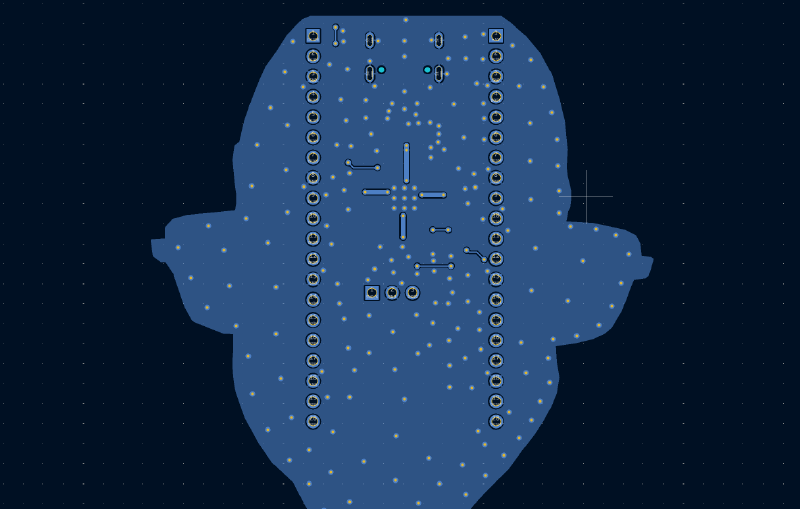
To follow board layout best practices, I minimized signal routing on the second layer to maintain an unbroken ground reference plane across the board. I also used power pours instead of traces whenever possible in the power supply network of the board to take advantage of the lower impedance, bulk capacitance, and other benefits of pours in comparison to traces.
I also made the choice to include an additional ground pour on the top layer to fill the unused space. My rationale is that this would create coplanar traces in many parts of the board, improving the signal integrity of any high-speed signals that may exist. Additionally, having an uneven distribution of copper on the top layer can cause warping issues. I made sure to include thermal reliefs in this pour and all others to lower the risk of “tombstoning” during assembly. I also added stitching vias throughout the board to ensure GND acted as a consistent reference and prevent the creation of any unintended antennas.
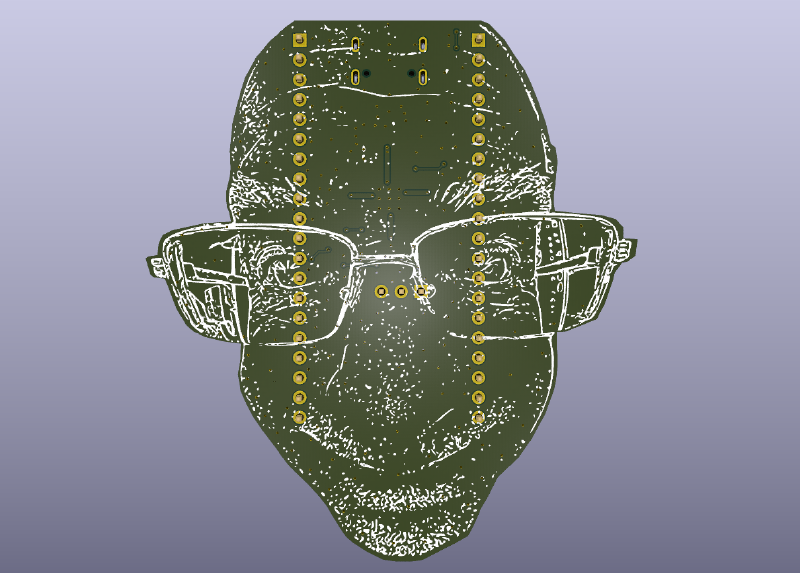
To have some fun with this project, the edge cuts and back layer silk screen are created from a picture of none other than Professor Bradley Minch.